
Find the emergency vehicle
Enter a customer or address: RoutePlan names the vehicle with the shortest drive and its crew. One click assigns the job.
For trade businesses
RoutePlan instantly shows which vehicle can be on site fastest, plans the day’s routes automatically and puts every job on your technicians’ phones.
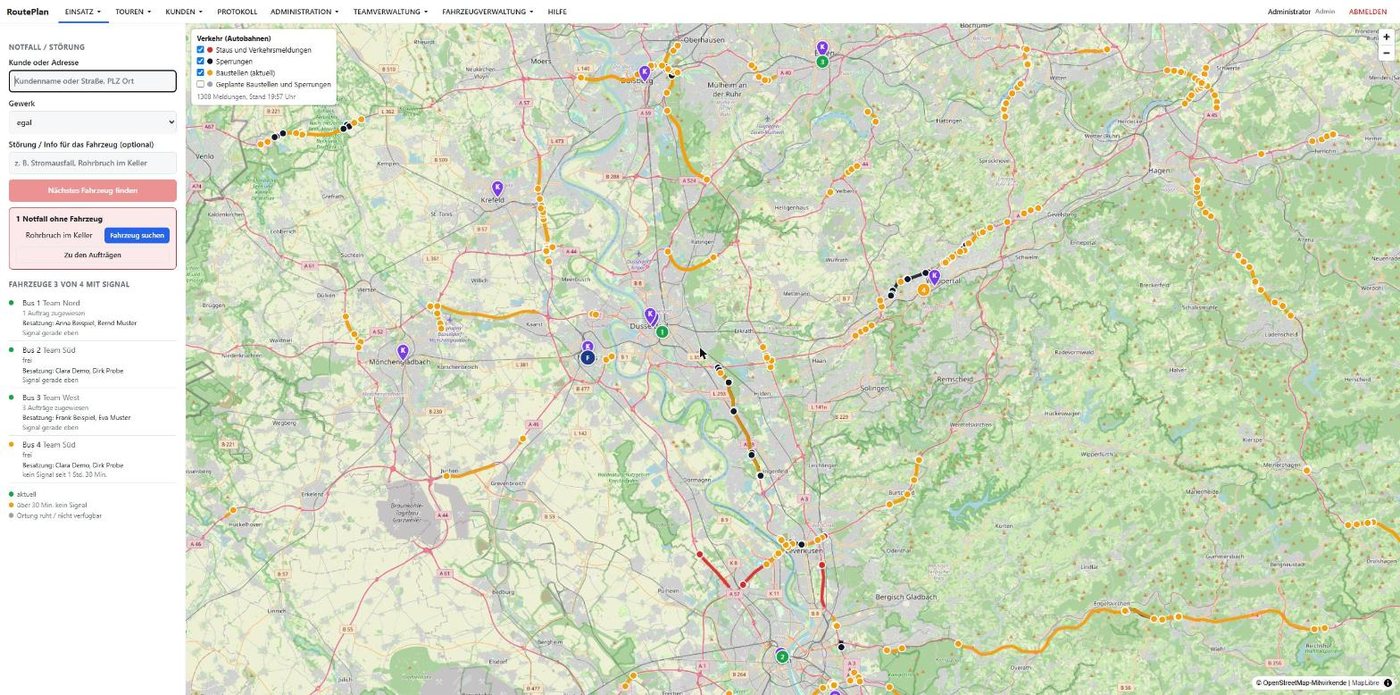
Enter a customer or address: RoutePlan names the vehicle with the shortest drive and its crew. One click assigns the job.
Enter the day’s jobs, calculate a proposal, adjust by hand if needed and apply it. RoutePlan tells you when a route does not work out.
Technicians see their team’s jobs, start navigation and report “On the way”, “Arrived” and “Done”.
Emergency
A burst pipe in the cellar, a power cut at the hotel: you enter the customer and the trade, and RoutePlan proposes only vehicles carrying a suitable technician – sorted by travel time.
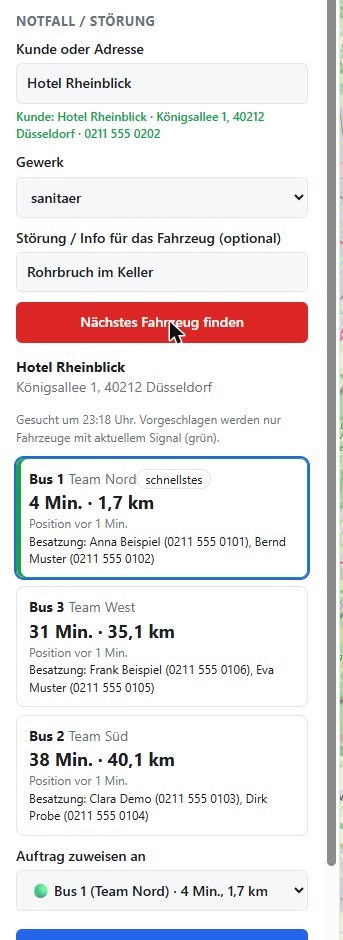
Route planning
RoutePlan distributes a day’s jobs across your vehicles and orders them by travel time, appointments and working hours. The proposal is only saved once you apply it.
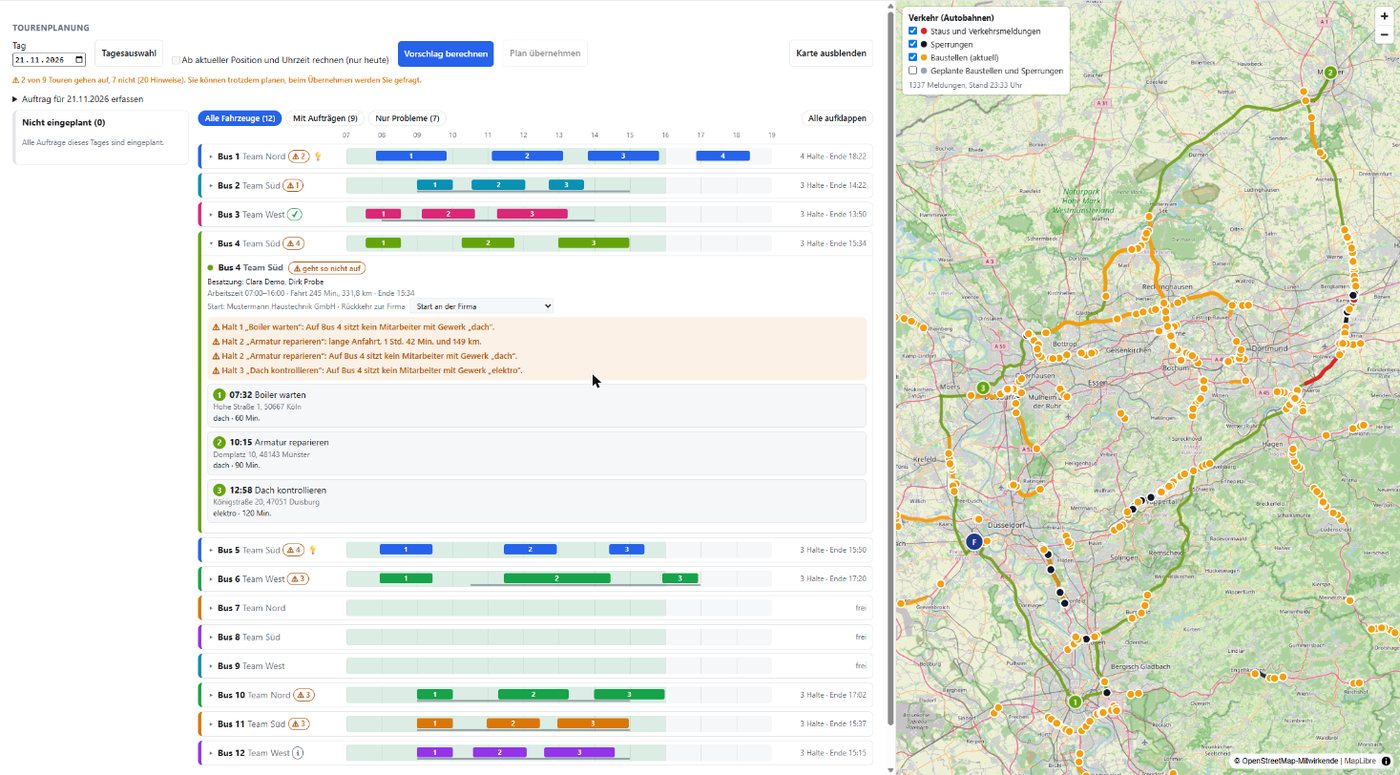
Situation picture
The map shows where your vehicles are and what the motorways look like right now: congestion, closures and roadworks. We run maps and address search ourselves, based on OpenStreetMap.
Finds vehicles, assigns jobs, plans routes and maintains customers – with map and vehicle list.
Sees only their team’s jobs on the phone and decides on private trips and standby themselves.
Sets up company, teams, vehicles, skills and users; sees the log.
Locations are only used during working hours, never on private trips, and deleted after 14 days. Every access to the location map is logged. Each customer gets a separate instance – run by us, on your premises or with your hosting provider.
We show you the demo and answer your questions – no obligation, no prior knowledge needed.